The HTML5 version of this tool was developed in October 2021. There are some differences between the newer HTML5 version and the App Store version but the core functionality remains the same. This support page was developed based on the App Store version of the tool so the images and instructions may not match the HTML5 tool perfectly, however, it still contains many useful examples.
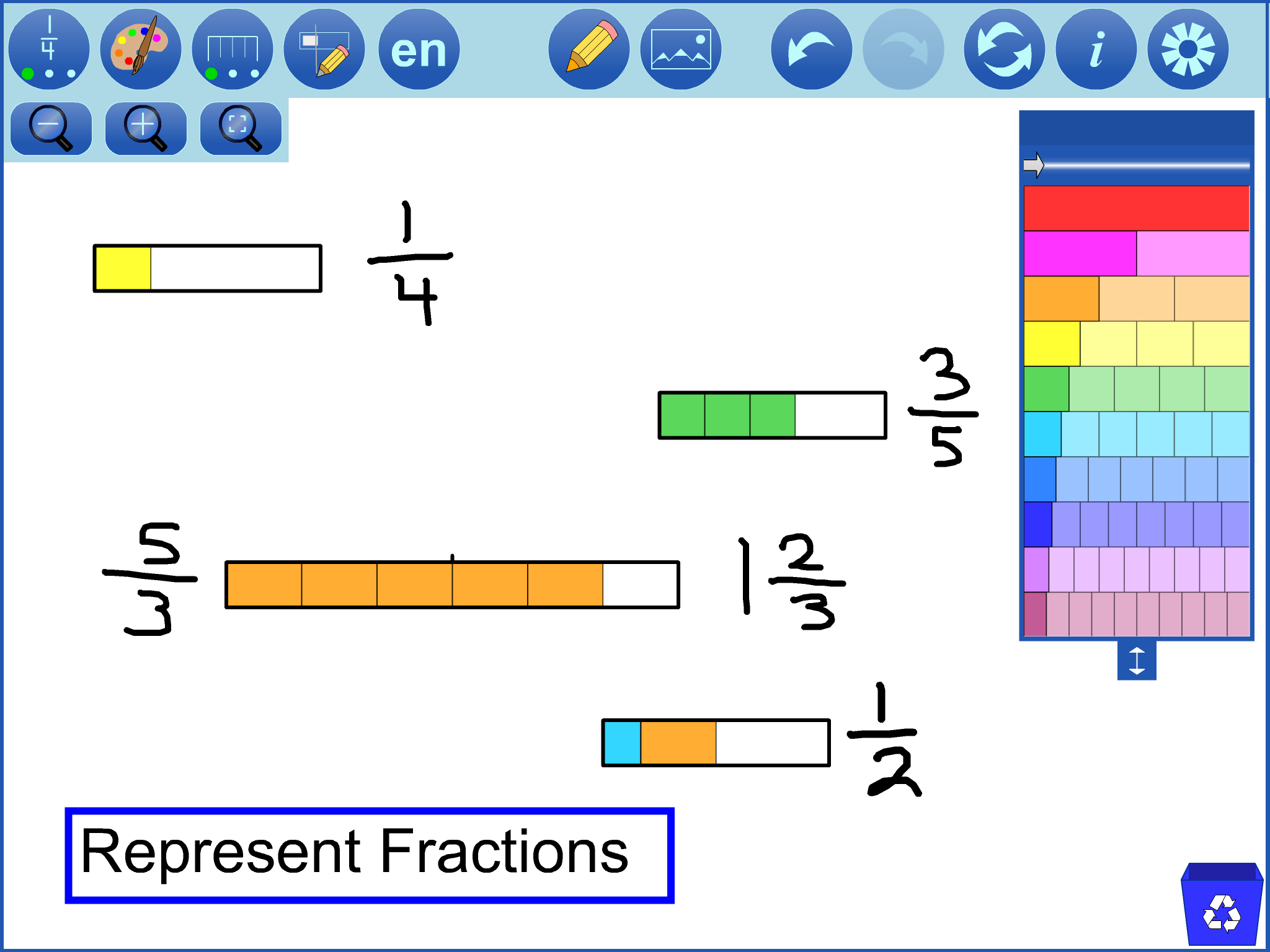
Use Fraction Strips to represent, compare, order, and operate on fractions. Represent fractions by dragging pieces from the fraction tower into the workspace. Pieces can be placed in a line to form a train. Manipulate the pieces and trains to compare and order fractions or to model fraction operations.
Access a wide variety of Annotation tools to communicate thinking. Insert pictures into the tool.
Work created in a mathies tool can be saved and opened.
A saved file can be shared with peers or submitted to a teacher. The file will contain all solution steps from start to finish.
Take a screenshot to use as part of a portfolio, presentation, web page, etc.
Represent unit fractions, proper fractions, improper fractions, and mixed numbers. top
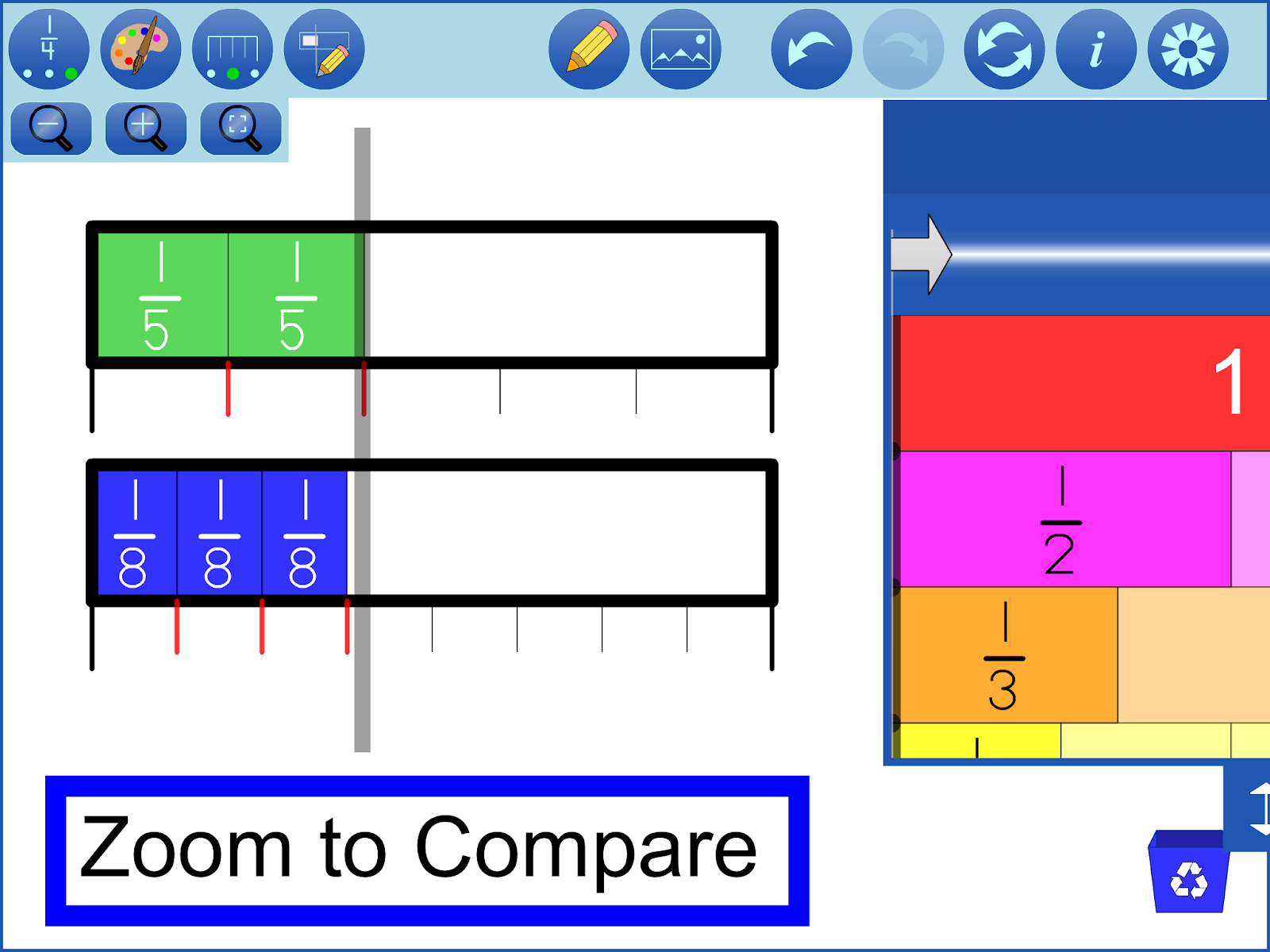
Comparing
Align trains using the built-in snapping feature.
Zoom infor more precision.
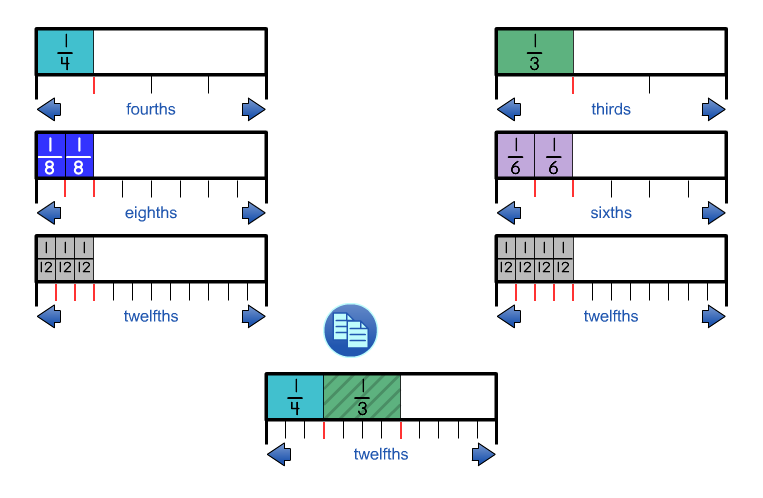
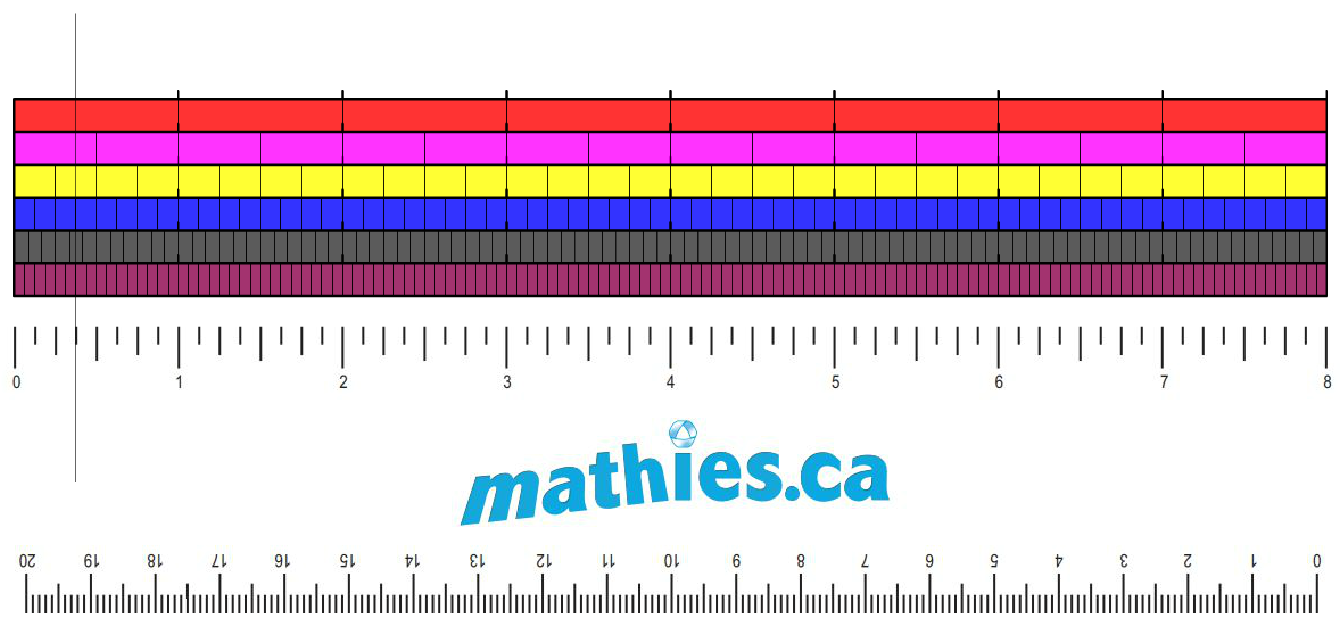
Rulers, when shown, will illuminate ticks in red if a piece ends exactly in that spot.
Create a vertical comparison bar to track a position between trains. top
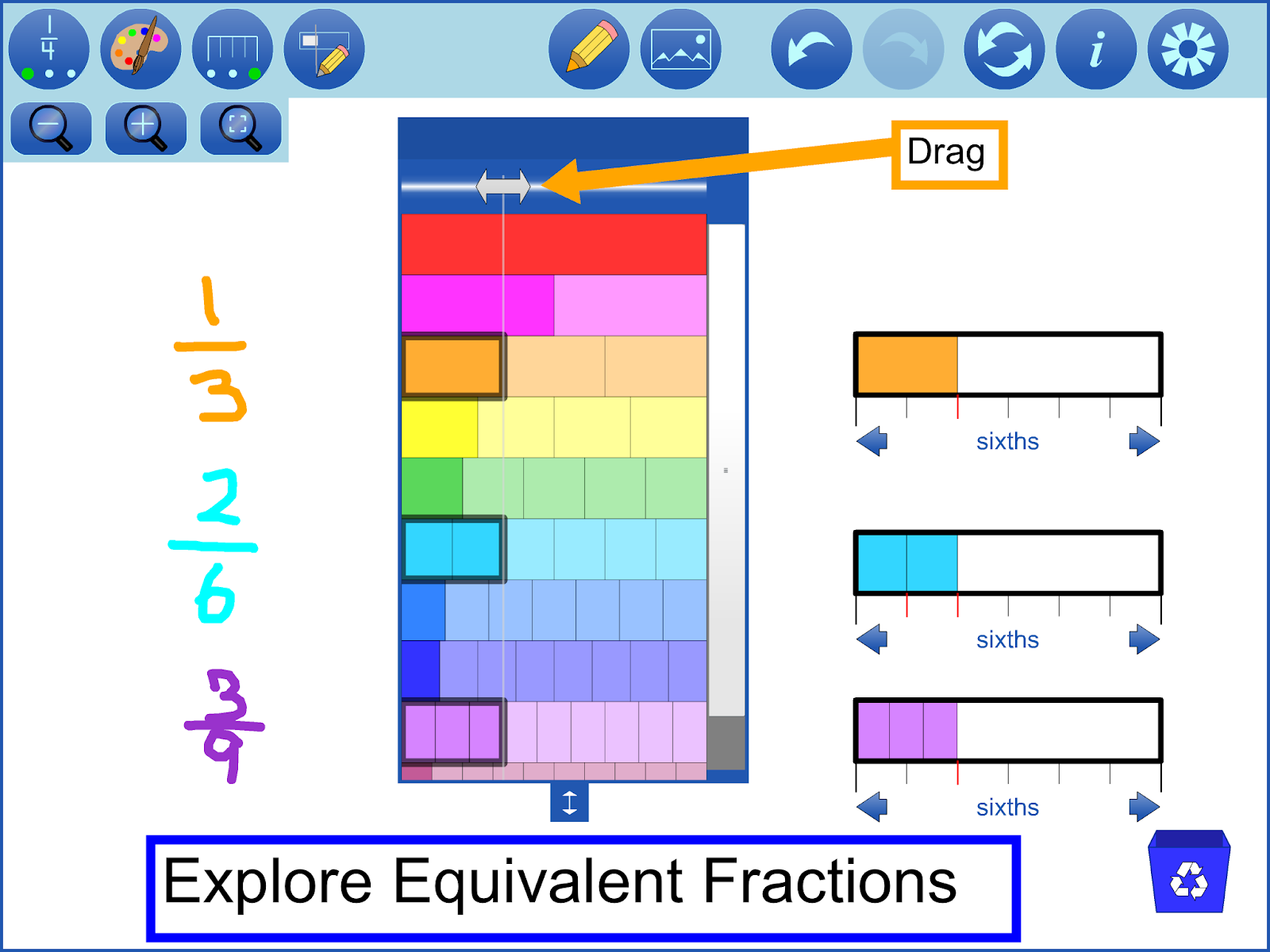
Exploring Equivalence
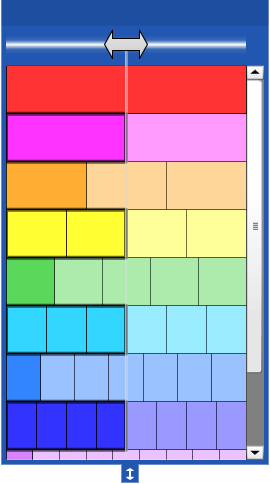
The equivalence bar in the tower can be dragged to reveal equivalent fractions in the tower.
The ruler can be shown, with steppers that change the fractional unit (e.g., from thirds to sixths), to assist with renaming fractions. top
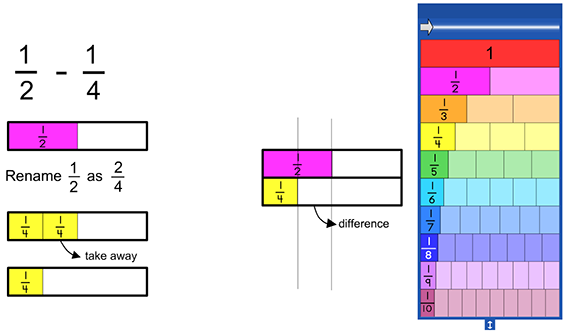
Operations
Addition
Place pieces beside or between each other, to combine fractions and perform addition.
Remove pieces from trains to perform subtraction as take-away.
Align trains to compare fractions, with or without using comparison bars, to find the difference.
See the Gazette article for more details about representing, ordering, subtracting and adding fractions with Fraction Strips.
Division of fractions can be a challenging topic. It is useful for students to understand different ways of thinking about division.
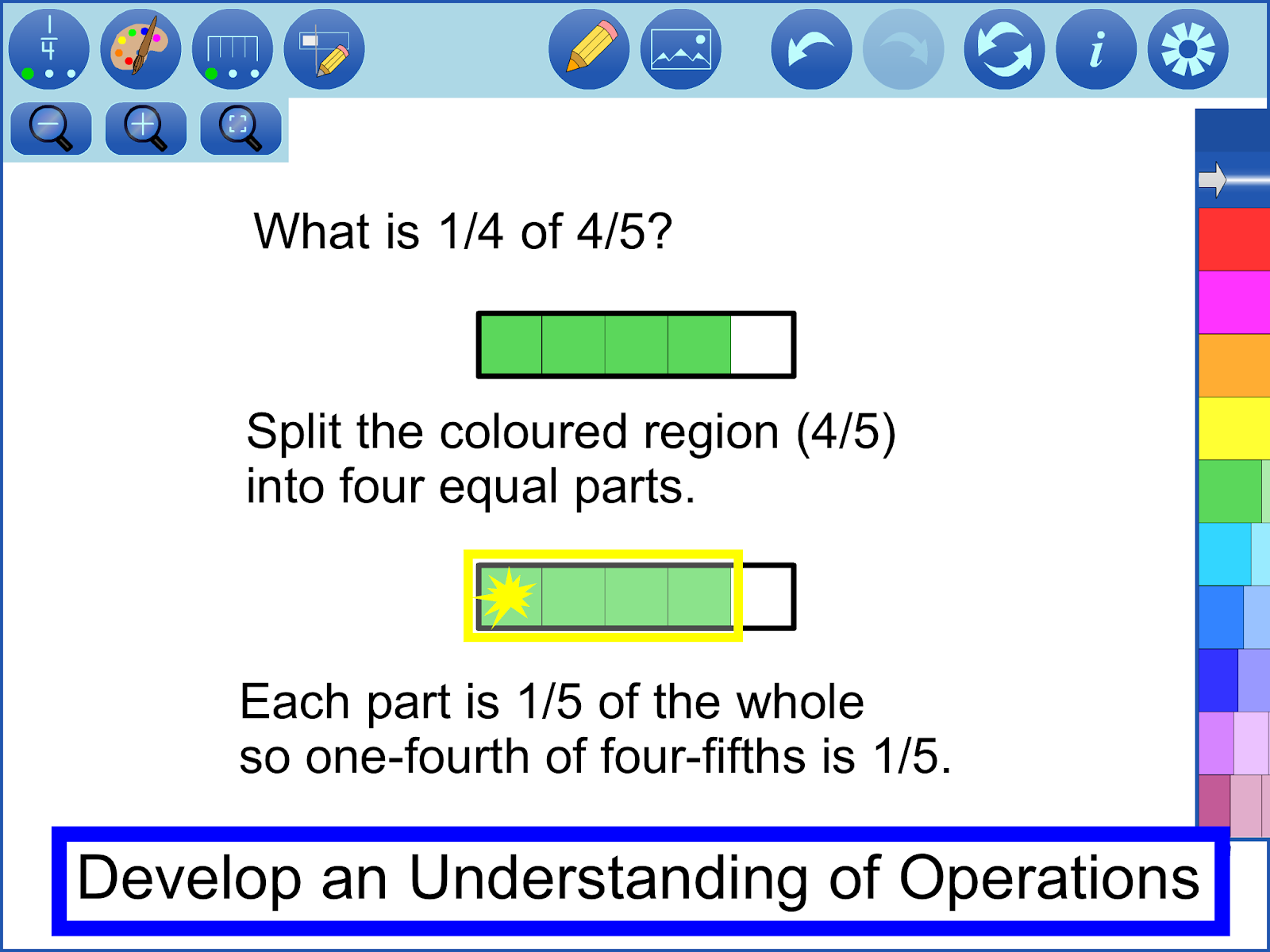
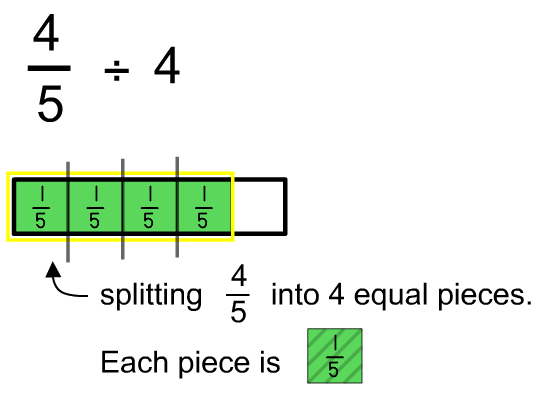
One way to approach the division of a fraction by a whole number is to split the fraction into equal pieces as in the example below.
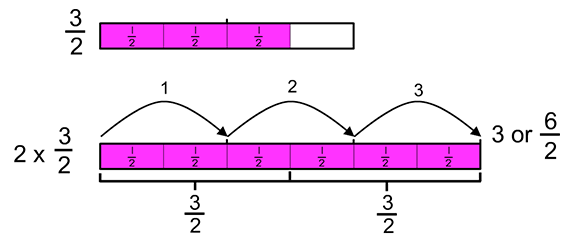
Comparing this division example to the multiplication example above, students may recognize that the action of dividing a quantity by 4 is the same as finding one-fourth of that quantity. This is one illustration of the invert and multiply algorithm.
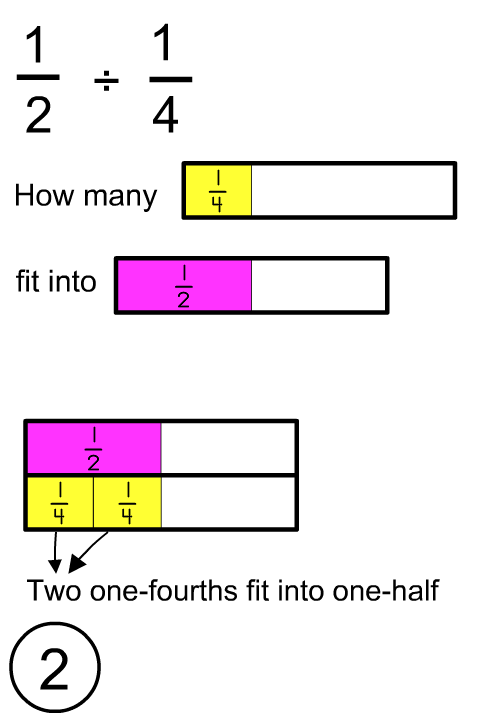
When dividing one fraction by another fraction, one way to think about the problem is to ask, "how many of the second quantity fits into the first quantity". In the following example, the student is asked to think about how many one-fourth pieces fit into the one-half piece.
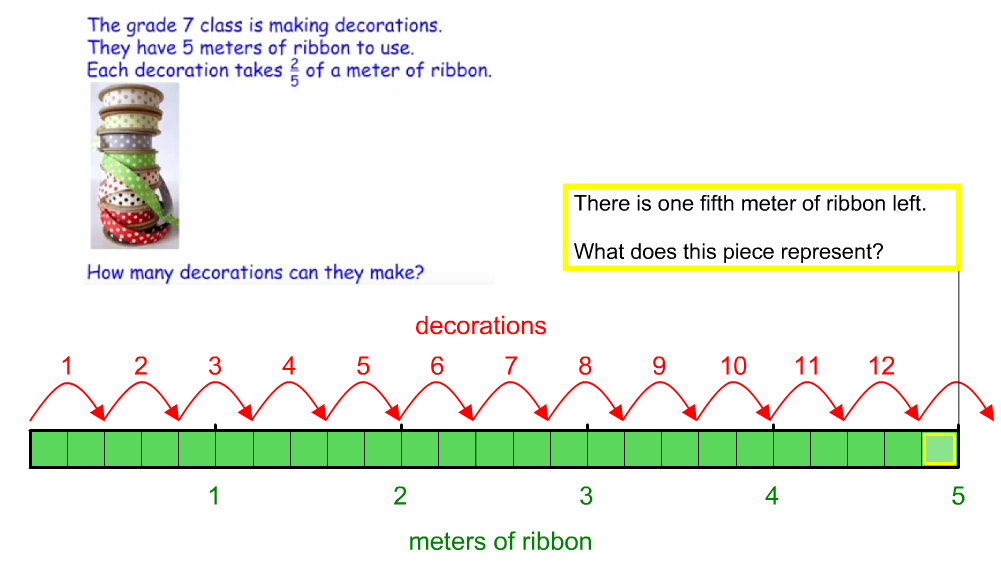
Here the answer is 2 which is a whole number. See the Ribbon Problem below for an example where the quotient is not a whole number.
See the Gazette article for more details about multiplying and dividing fractions with Fraction Strips.
Watch a video of the following question being solved by using the Fraction Strips
Ribbon Problem
The grade 7 class is making decorations. They have 5 meters of ribbon to use. Each decoration takes 2/5 of a meter of ribbon.
How many decorations can they make? (Ribbon Problem Image)
Note: The video below was created with a previous version of the Fraction Strips Tool. Open the ribbon problem in the most recent version of Fraction Strips from the sample files section.
Develop the Fraction Multiplication Algorithm
This video was developed by Dave Petro and Gisele Jobin from Windsor Essex Catholic District School Board.
Thanks for sharing!
Developing the Fraction Division Algorithm Conceptually
This video was developed by Dave Petro and Gisele Jobin from Windsor Essex Catholic District School Board.
Thanks for sharing!
(Note: This feature is NOT available in the HTML5 version of the tool.)
To access a sample file:
use the Open WWW button in the Settings dialog and supply the URL, or
download the file from the URL column (right-click and save locally on desktop, hard tap on touch screen devices) and use the Open button in the tool, or
add the mathies sample files Google drive folder to "My Drive" which allows convenient access on all devices.
(Note: The HTML5 version of the tool includes many, but not all of these features and employs a slightly different user interface.)
Button
Description
Label
Toggle between showing:
no labels
the labels in the tower only
labels in the tower and in the workspace
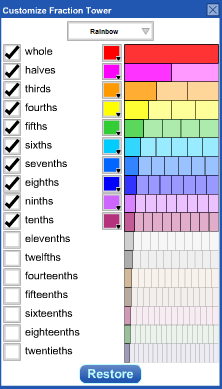
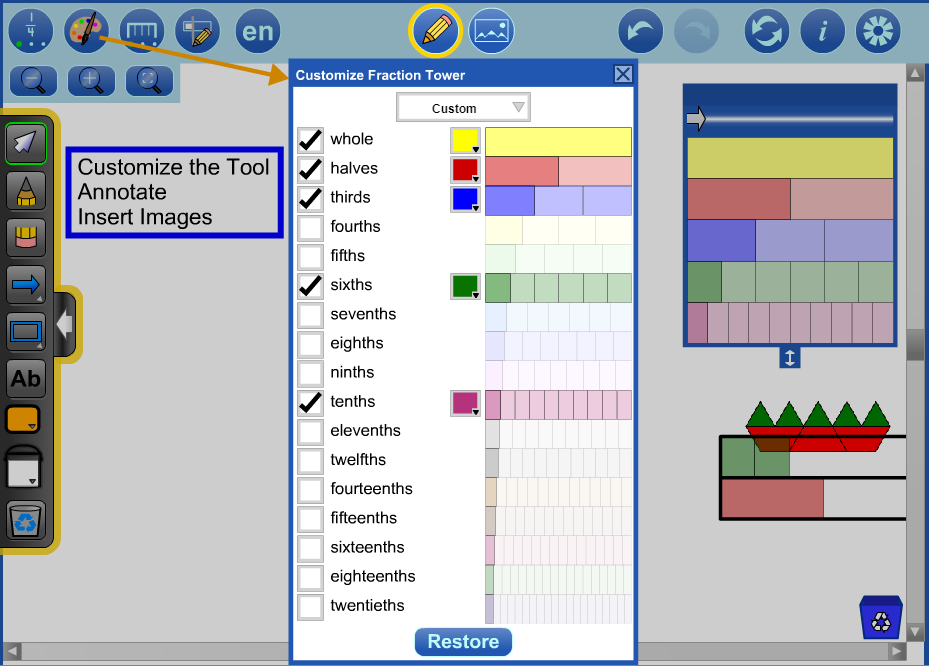
Customize Fraction Tower
Show the Customize Fraction Tower dialog to:
choose a colour palette (Rainbow, Original, or One Colour)
include or exclude strips in the tower
change the colour of the strips and the related pieces in the workspace
restore the tower to its default state
Ruler
Toggle between
not showing rulers
showing rulers
showing rulers and stepper arrows
Note: Clicking the stepper arrows changes the number of tick marks in a whole.
The ticks are illuminated in red if a piece ends exactly at that position.
Create a Comparison Bar
A comparison bar is a grey, vertical line that is useful to compare fraction strips, especially when the left edges are aligned.
Multiple comparison bars can be created. The length of a bar, its colour and its thickness can be modified.
English / French
Switch between English and French.
Zoom In / Zoom Out
Use the zoom in buttonto make the pieces look bigger. This is useful for more precise comparison, especially when working with small fractions.
Use the zoom out buttonto see more of the workspace. The fraction pieces will look smaller.
Note:
If using a mouse use the mouse wheel to zoom in and out.
If pieces are selected the zooming will be centered around the selected pieces.
On touch screen devices use the pinch-to-zoom gesture on an empty space to zoom in and out.
Zoom To Fit
Zoom the workspace so that all the fraction pieces are visible. Pieces may be resized and/or repositioned as a result.
Scroll Workspace
On desktop, use the scroll bars.
On touch screen devices, use a two finger slide gesture on an empty space.
Equivalence Bar
Drag to highlight equivalent fractions in the tower.
To move the tower, drag it by the dark blue area at the very top.
Change Tower Height
Drag to adjust the height of the tower. If the tower is made too small, a scroll bar will be displayed, allowing hidden strips to be revealed.
Annotation Tool
Make notes or highlight various features of the representation. More details.
Step backward or forward through the actions with the tool.
This feature is not only useful for backtracking when a misstep is made, it enables a student to demonstrate their work from the start to the finish. The student can press Undo until they are at the start of their solution and then press Redo repeatedly, explaining each step.
Note: Undo / Redo is not available for annotation objects.
Reset
Return the tool to its original state.
All objects in the workspace will be deleted and the settings will be restored to their defaults.
Information
Shows a dialog with a link to this support page, a feedback form as well as copyright details and version number.
Settings
Show the Settings dialog to:
open a previously saved Fraction Strips file (work will be centered and fitted to the window automatically)
restore Defaults to retain the objects in the workspace, while restoring the settings to their defaults
including labels, rulers, and colours
Recycle
Click to clear selected objects. If nothing is selected, the entire workspace will be cleared.
Alternatively, drag objects to the recycle bin to remove them.
Copy
Make a copy of the selected objects.
Other Functionality
Multiple Select
To select fraction pieces draw a marquee rectangle around them.
Hold down the SHIFT key when drawing a marquee rectangle to add to the previous selection.
Click a fraction piece to add or remove it from the selection.
Selected fraction pieces can be moved, copied, or recycled as a group.
Gazette Articles September 2017 - Representing, Comparing and Ordering Fractions, Equivalent Fractions, Addition and Subtraction of Fractions using the Fraction Strips Tool December 2017 - Multiplication and Division of Fractions using the Fraction Strips Tool
Other Resources A Fraction Strips Story: Reflections on a Student’s Mathematical Exploration (Draft)

 to communicate thinking.
 into the tool.
 and opened
 .
A saved file can be shared with peers or submitted to a teacher. The file will contain all solution steps from start to finish.
 for more precision.
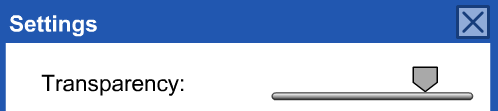 accessed from settings
 .
 in the Settings dialog and supply the URL, or
 in the tool, or


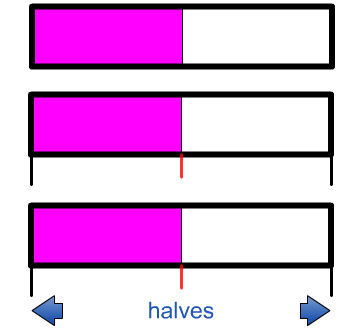 Toggle between

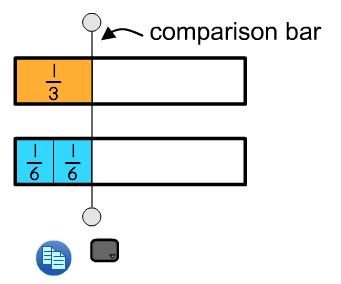 A comparison bar is a grey, vertical line that is useful to compare fraction strips, especially when the left edges are aligned.









 Algebra Tiles
 Colour Tiles
 Fraction Strips
 Money
 Notepad
 Number Chart
 Pattern Blocks+
 Rekenrek
 Relational Rods+
 Set Tool